October 21st, 2025

We’re back with another update to make your experience smoother, faster, and more enjoyable. This release brings a mix of improvements, bug fixes, and new features designed to keep UniWave fresh and evolving.
General Improvements
Halloween Changes
Added Halloween flair style for posts
Added Spooky logo
Added Pumpkin like button
Improved Comment Threading
Comment threading is now visually much better matching the “New Gen” UniWave style.
No longer need to expand replies to see full threads.
Added Flair Designs
When creating custom flairs on posts you can now pick a design for the flair.
Redesigned Sidebar Widgets
Matches “New Gen” UniWave style and is much more space-saving.
New Dropdown menu for posts
There is a new action menu for posts.
You can now translate posts directly within UniWave.
UniWave Videos
You can now upload Videos to UniWave along with your posts.
Videos have got a custom-built player with quality control.
Profile Improvements
Profiles now show connection icons for your social connections.
Followers/Following pages are now dynamic so you can view another users followers/following.
Bluesky Cross-Post Social Connection
Added Bluesky as a connection.
Connecting Bluesky and enabling cross-posting will import all of your current and future posts from Bluesky to UniWave.
September 19th, 2025
New
Improved

We’re back with another update to make your experience smoother, faster, and more enjoyable. This release brings a mix of improvements, bug fixes, and new features designed to keep UniWave fresh and evolving.
General Improvements
Next-gen Interface (Preview)
Initial rollout of the redesigned UniWave interface.
Focus on a cleaner, modern look with improved spacing and typography.
Trending Topics
New dedicated section to surface the most talked-about topics in real time.
Trending list updates dynamically to reflect community activity.
Custom Feeds (Preview)
Early backend/frontend work to allow users to create and manage their own custom feeds.
Feeds will support personalized filters and themes.
Feed Discovery API
Introduction of a comprehensive API to explore and subscribe to feeds.
Alternate Views for Feeds
Added new view options to give users more flexibility in how content is displayed.
Optimized for both compact browsing and detail-focused reading.
Display Names
Users can now set a display name separate from their @username.
Display names appear prominently across profiles and posts.
Profile Settings Overhaul
Updated settings page with a clearer layout.
Easier access to profile customization, privacy, and account options.
Mentions Enhancements
Improved detection and rendering of @mentions.
September 9th, 2025
Improved

We’re back with another update to make your experience smoother, faster, and more enjoyable. This release brings a mix of improvements, bug fixes, and new features designed to keep UniWave fresh and evolving.
Highlights
Custom Flair Creation – Create and personalize your own post flairs. (See Custom Post Flairs for details.)
General Improvements
Added Referral Points – Earn 1,000 Points per referral.
Points can now be spent on Nameplates and Profile Panels in user settings.
Introduced Random Suggestions – Discover 5 new users to follow in your feed.
Added a Team Page to view the UniWave Team.
Nameplates now appear in UniChats Inbox and DMs.
Profile Panels now cover the entire profile background.
Added a Following Count to profiles.
You can now view other users’ Followers & Following lists.
Fixed bugs with embedded content and reposts.
Tools
Introduced Milo AI PC Upgrader Tool.
Groups
Reworked Group Creation & Management pages with a unified design.
Group posts now appear on the home feed.
Added a “View Group” button on group posts.
Recent group activity now shows in the secondary sidebar.
Safety & Security
Added Account Deletion – delete your account anytime.
Added a Cookie Consent Banner with customizable cookie settings.
September 4th, 2025
New
We’re excited to introduce a brand-new way to personalize your posts on UniWave — Custom Post Flairs!
Flairs let you add a unique animated Microsoft Fluent emoji along with a short label (up to 30 characters) to your posts. They’re a fun, eye-catching way to express context, mood, or style right at a glance.
🔧 How it works
Pick your emoji: Choose from the full set of animated Fluent emojis.
Add your text flair: Write up to 30 characters — think of it like a mini caption for your post.
Stay safe: Flairs must follow our Safety Guidelines (no swearing, offensive content, or harmful text).
🎨 Why use flairs?
Add personality and color to your posts.
Help others instantly understand the vibe or topic of what you’re sharing.
Stand out in the feed with animated expression that feels yours.
🚀 Try it out today
Next time you post, look for the Add Custom Flair option in the post creation screen and start customizing. We can’t wait to see the creative ways you’ll use them!

August 14th, 2025
New
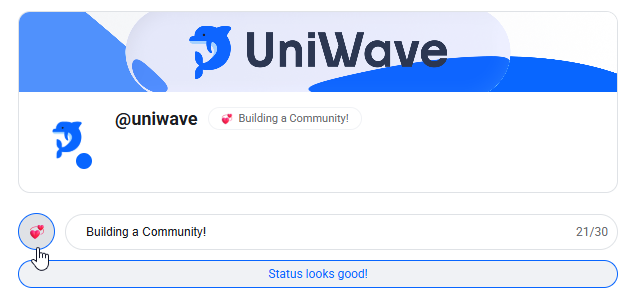
Custom Status lets you share a short message and optional emoji that appear alongside your name on UniWave. It’s a quick way to let others know what you’re up to, set the tone for your profile, or just add a personal touch to your presence.
Whether you want to show you’re available to chat, busy working, or simply feeling a certain vibe, your custom status helps communicate that at a glance. You can update it at any time, and it’s visible to everyone who can see your profile.
To learn more about them including how to set your own please take a look at the Custom Statuses article we made on our help center!
August 12th, 2025
Milo AI has gotten it’s first large update since introduction and we are excited to tell you about it!
Milo’s Suggested Questions
Milo’s AI summary button on posts now has Suggested Questions. It will take the content, author, time and date including other posts related to the one posted and compile all that information and figure out what you might want to know!
For example take a look below at what Milo is suggesting about the post revealing our brand new Nameplates feature!

Milo now has Memory
Milo can now remember important things about you, build up an dictionary of information so it knows how to speak to you, how to support you and what you like talking about. For example below here I told Milo I love UniWave and now it will remember that in the future but you can use it for remembering your real name, local area and much more!

August 4th, 2025
New
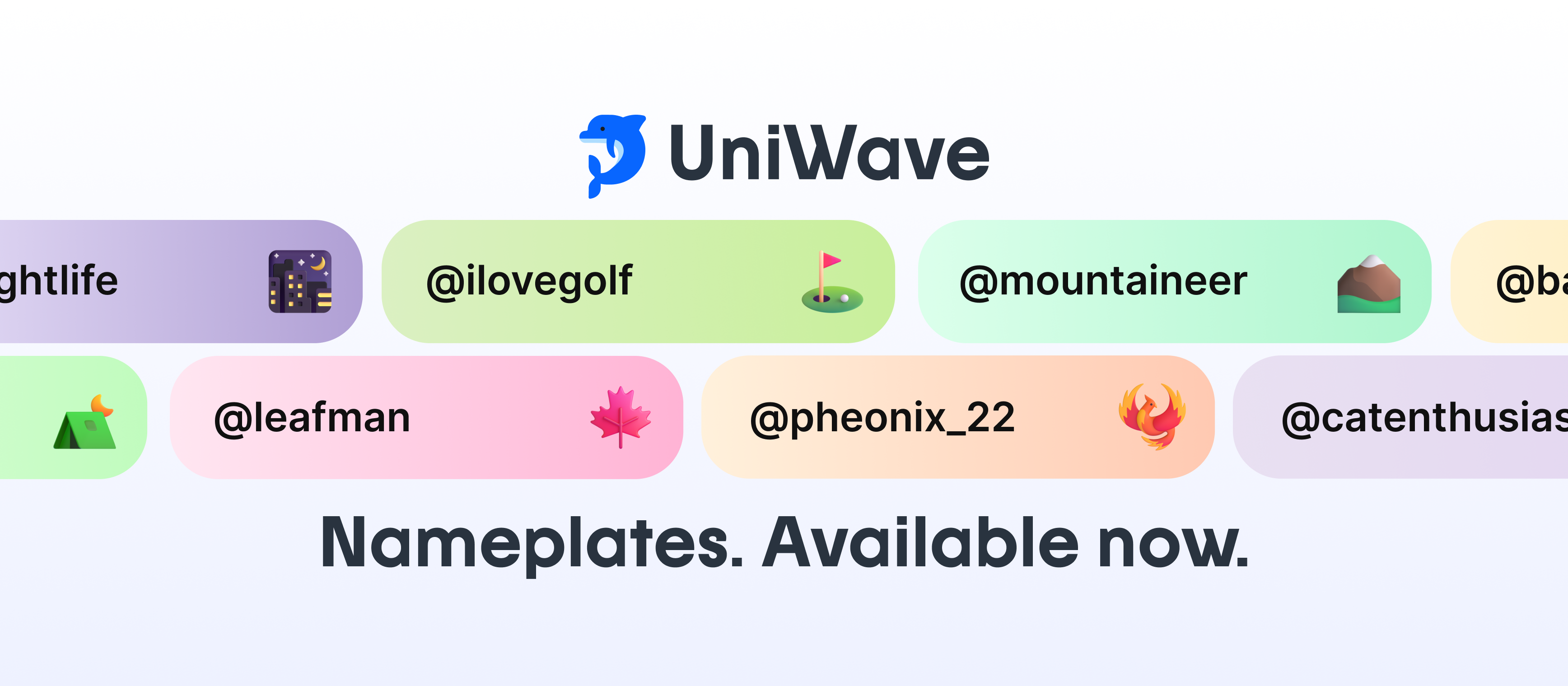
Nameplates on UniWave let you customize the look of your display name across search, sidebars, and other locations your namecard appears. Nameplates give your name a distinctive visual flair, making it stand out across the community.
For more information on how to set and use the UniWave Nameplates go to Nameplates